Giving Tuesday and year-end giving
Scan donation receipts and find them at tax time.
Giving Tuesday is December 1. Scan each receipt or thank-you letter when it arrives, or import the email, and find it later by the charity's name. Free to try, and $4.99 once for Pro in the US.
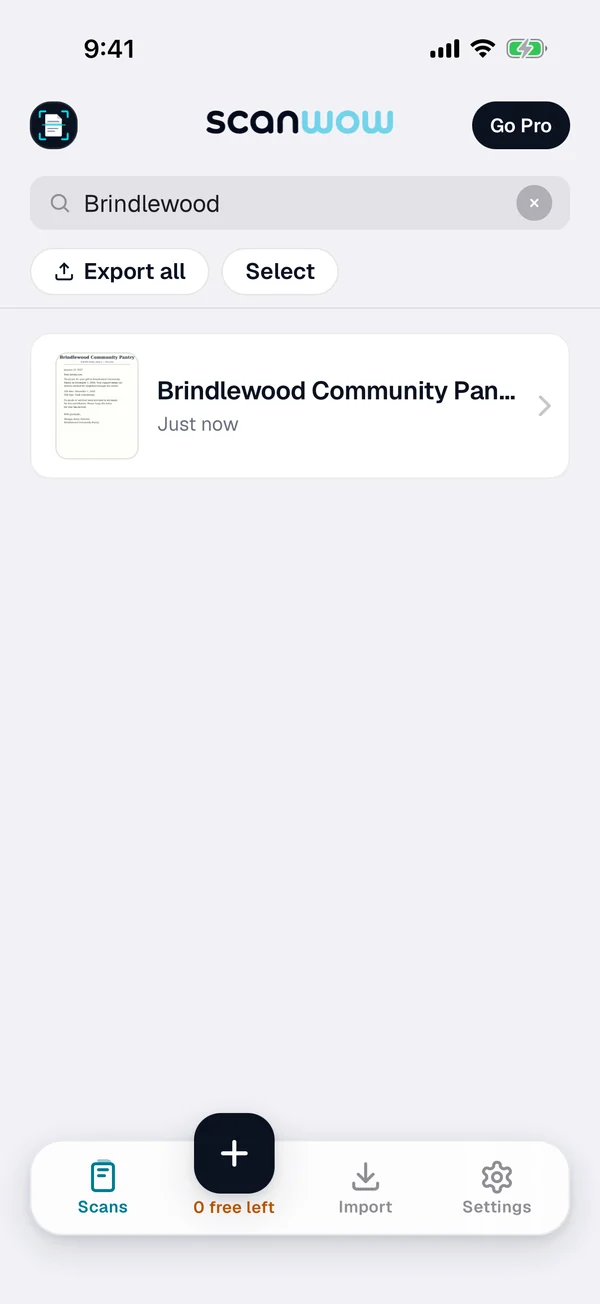
Three steps for every donation receipt
-
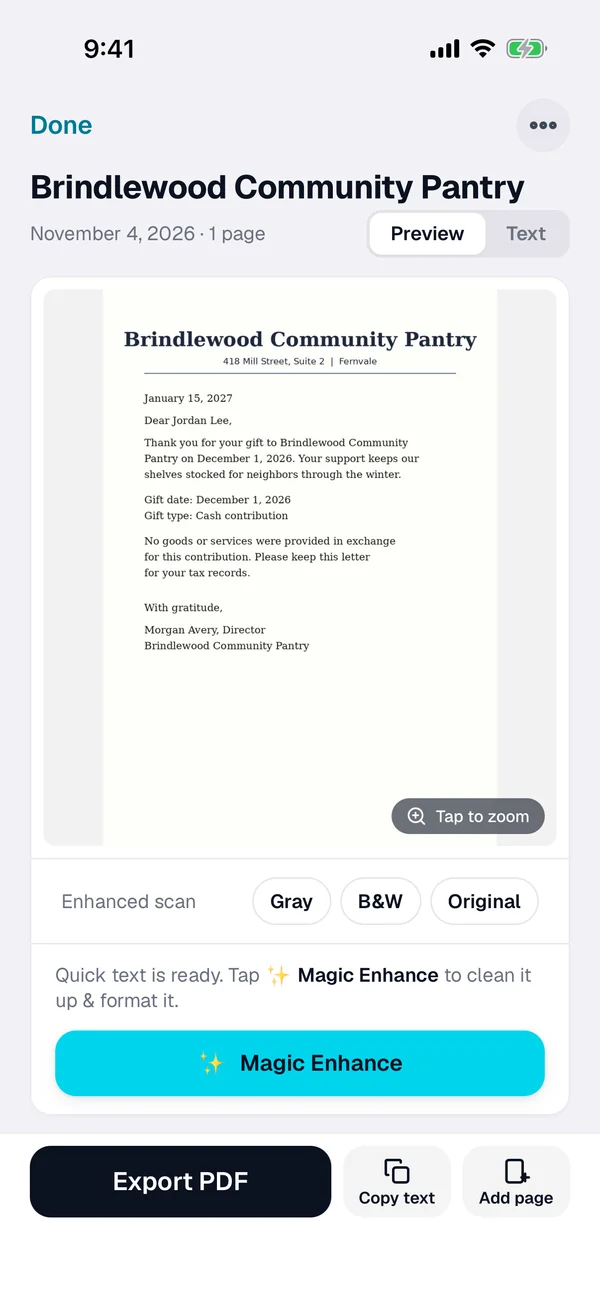
Scan or import it
Tap + and scan the receipt or letter. For an emailed receipt, open the PDF from Mail or Files, or import a photo from Photos.
-
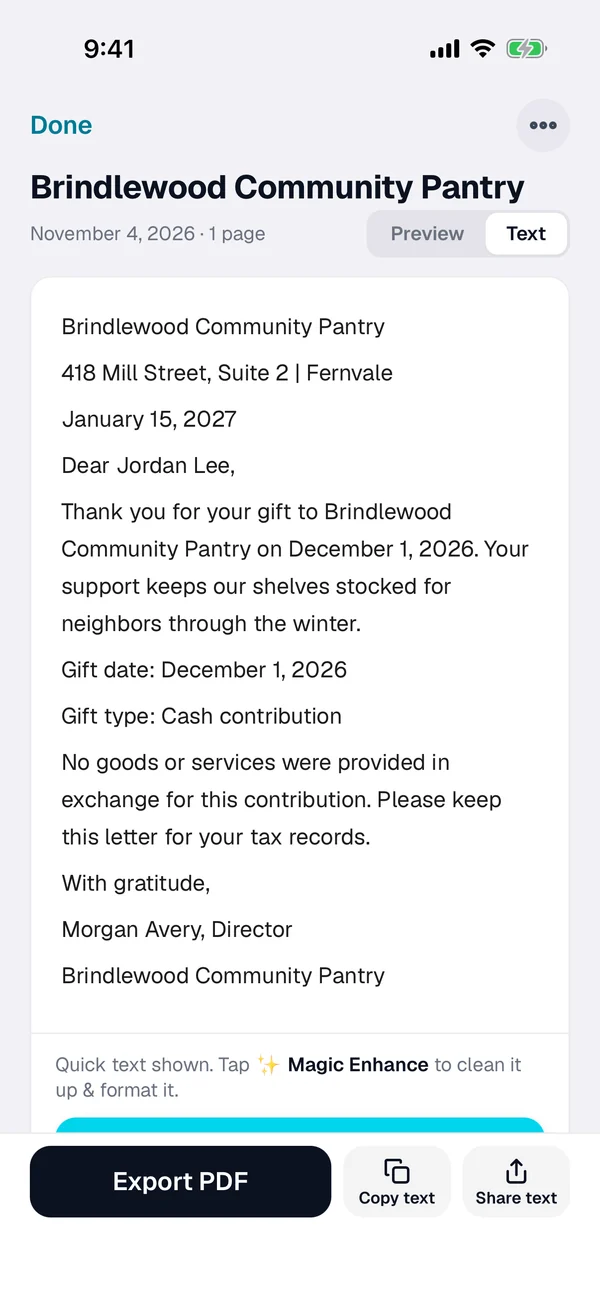
Check the name
Smart naming suggests a name from the text. Rename it with the charity and the year if you like.
-
Find it at tax time
Search for the charity's name, the amount or any word on it. Select the receipts you need and export them as one searchable PDF.
What IRS Publication 526 says to keep
Any cash gift: a record
IRS Publication 526 says that for a cash contribution of any amount (it counts check, card and online payments as cash) you keep a bank record or a receipt, letter or email from the charity, showing the charity's name, the date and the amount.
$250 or more: the charity's letter
For a single gift of $250 or more, Publication 526 says you need a written acknowledgment from the charity, and you should have it by the earlier of the date you file your return or the due date, including extensions.
Year-end letters come in January
Publication 526 says charities typically send written acknowledgments by January 31 of the next year. Scan the letter or import the email when it arrives, so it sits with the rest of your year.
Donated items have other rules
Clothes, cars and other items you give have their own record rules in Publication 526, and some need more paperwork. Read that part of the publication, and check with a tax professional.
This page is not tax advice. Publication 526 (2025) is written for 2025 returns, and rules can change, so check the latest version on irs.gov and ask a tax professional about your own gifts.
Private, and in your own iCloud
ScanWow reads the text on your iPhone, and your scans are not stored on our servers. A page is only sent for AI cleanup when you tap Magic Enhance on it. See the private scanner page for details.
With Pro, Automatic iCloud Backup saves your scans to your own iCloud account, not ours. A new device signed in with that Apple Account restores them when you install ScanWow.
Free to try, then a one-time Pro
Download is free, and your first 3 documents are free. A multi-page scan counts as one document, and so does a photo or PDF import. Text recognition, search, and searchable PDF export are included for everyone.
ScanWow Pro is $4.99 once in the US (the App Store shows your local price). Pro adds unlimited scans, Automatic iCloud Backup to your own iCloud, and 1,000 Magic Enhance credits. No monthly fee. See full pricing.
Common questions
What does IRS Publication 526 say to keep for a donation?
IRS Publication 526 (2025) says that for a cash contribution of any amount, which it says includes check, card and online payments, you keep either a bank record or a receipt, letter or email from the charity. Either one should show the charity's name, the date and the amount. Rules can change, so check the latest version on irs.gov and with a tax professional.
What about a single gift of $250 or more?
Publication 526 says a contribution of $250 or more needs a written acknowledgment from the charity, and that you should have it by the earlier of the date you file your return or the return's due date, including extensions. It also says separate gifts are not added together for this test. Check with a tax professional about your own gifts.
Is a scan enough for my tax records?
ScanWow keeps a readable copy you can search and export as a PDF. It does not decide what counts as a record for your taxes. Ask a tax professional what to keep, and keep the original letters and statements they tell you to keep.
How do I find a donation receipt at tax time?
Search for the charity's name, the amount, or any word on the receipt. ScanWow reads the text on every scan, and search in the app matches the words and numbers on it, plus the document name. Then select the receipts you need and export them as one PDF.
Can I import donation receipts that came by email?
Yes. Open a PDF receipt from Mail or Files, or import a photo from Photos, and ScanWow reads it like a new scan. A PDF import brings in up to 20 pages.
Is it free?
ScanWow is free to download, and your first 3 documents are free. Text recognition, search and searchable PDF export are included for everyone. ScanWow Pro is an optional one-time $4.99 in the US for unlimited scans, Automatic iCloud Backup and 1,000 Magic Enhance credits. There is no subscription.
Scan this year's donation receipts as they arrive
Free to download. 3 documents free. Pro is $4.99 once. No subscription.
Download on the App Store