Thanksgiving and holiday travel
Scan your travel documents before you go.
Scan your passport, ID, flight itinerary and hotel confirmation before the trip, and find any of them later by the airline, the hotel or any word on the page, even offline. Free to try, and $4.99 once for Pro in the US.
Three steps before every trip
-
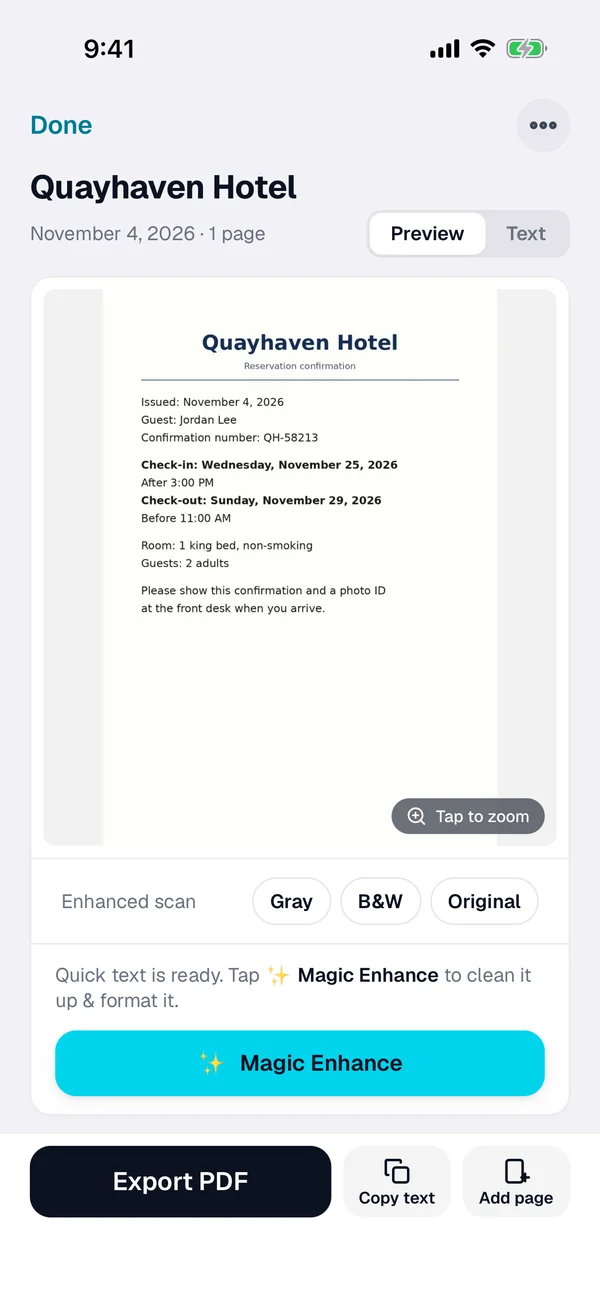
Scan or import it
Tap + and scan the page. For an emailed confirmation, open the PDF from Mail or Files, or import a screenshot from Photos.
-
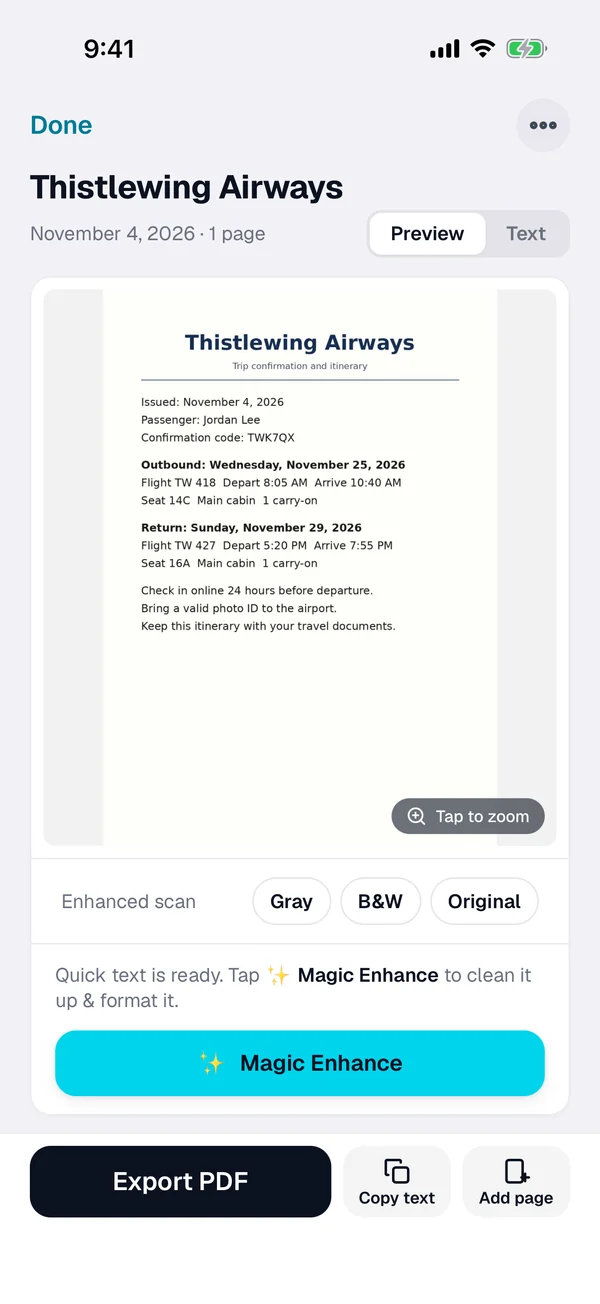
Check the name
Smart naming suggests a name from the text. Rename it with the trip and the date if you like.
-
Find it on the road
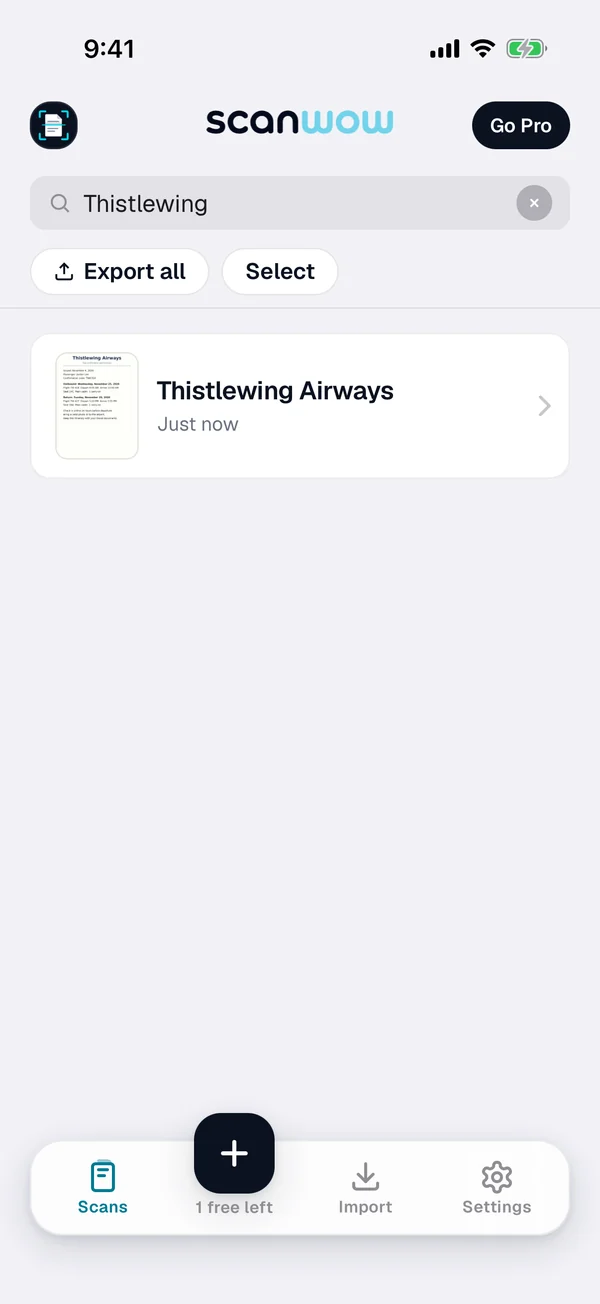
Search for the airline, the hotel, a confirmation code or any word on it. Your scans are on your iPhone, so search works without a connection.
What to scan before you leave
Passport and ID
The passport photo page and your driver's license or other ID, front and back. A copy helps if the original is lost, but it does not replace it, so carry the original.
Flights and hotels
Itineraries, booking confirmations and hotel reservations, with the confirmation codes you need at the desk. Handy when email will not load.
Cards you reach for
Travel insurance cards, rental car reservations and trusted traveler cards. Search the company name to pull up the number.
Check the official rules
ID and entry rules come from your airline and the government, and they can change. Check the official sites before you go. This page does not cover them.
Private, and in your own iCloud
ScanWow reads the text on your iPhone, and your scans are not stored on our servers. A page is only sent for AI cleanup when you tap Magic Enhance on it. See the private scanner page for details.
With Pro, Automatic iCloud Backup saves your scans to your own iCloud account, not ours. A new device signed in with that Apple Account restores them when you install ScanWow.
Free to try, then a one-time Pro
Download is free, and your first 3 documents are free. A multi-page scan counts as one document, and so does a photo or PDF import. Text recognition, search, and searchable PDF export are included for everyone.
ScanWow Pro is $4.99 once in the US (the App Store shows your local price). Pro adds unlimited scans, Automatic iCloud Backup to your own iCloud, and 1,000 Magic Enhance credits. No monthly fee. See full pricing.
Common questions
Can I open my travel scans without a connection?
Yes. Scanning, text recognition, search and PDF export work without a connection, so your scans are there on the plane or abroad. Magic Enhance needs a connection, and a few languages may need to download their language data the first time.
Does a scan replace my passport or ID?
No. A scan is a backup copy for your own reference. Carry the original documents, and check with your airline and the official government sites for what you need to show for your trip.
Where are my passport scans stored?
On your iPhone. ScanWow reads the text on your device, and your scans are not stored on our servers. With Pro, Automatic iCloud Backup saves them to your own iCloud account, not ours. A page is only sent for AI cleanup when you tap Magic Enhance on it.
How do I find a confirmation number at the airport?
Search for the airline or hotel name, the confirmation code or any word on the page. ScanWow reads the text on every scan, and search matches the words and numbers on it, plus the document name. Open the Text tab to copy the code.
Can I scan confirmations that came by email?
Yes. Open a PDF from Mail or Files, or import a screenshot from Photos, and ScanWow reads it like a new scan. A PDF import brings in up to 20 pages.
Is it free?
ScanWow is free to download, and your first 3 documents are free. Text recognition, search and searchable PDF export are included for everyone. ScanWow Pro is an optional one-time $4.99 in the US for unlimited scans, Automatic iCloud Backup and 1,000 Magic Enhance credits. There is no subscription.
Scan your travel documents before the holiday rush
Free to download. 3 documents free. Pro is $4.99 once. No subscription.
Download on the App Store