FSA and HSA receipts
Scan FSA and HSA receipts and find them at claim time.
Scan each itemized receipt from the pharmacy, clinic or dentist when you get it, or import the emailed copy, and find it later by the pharmacy or provider name. Free to try, and $4.99 once for Pro in the US.
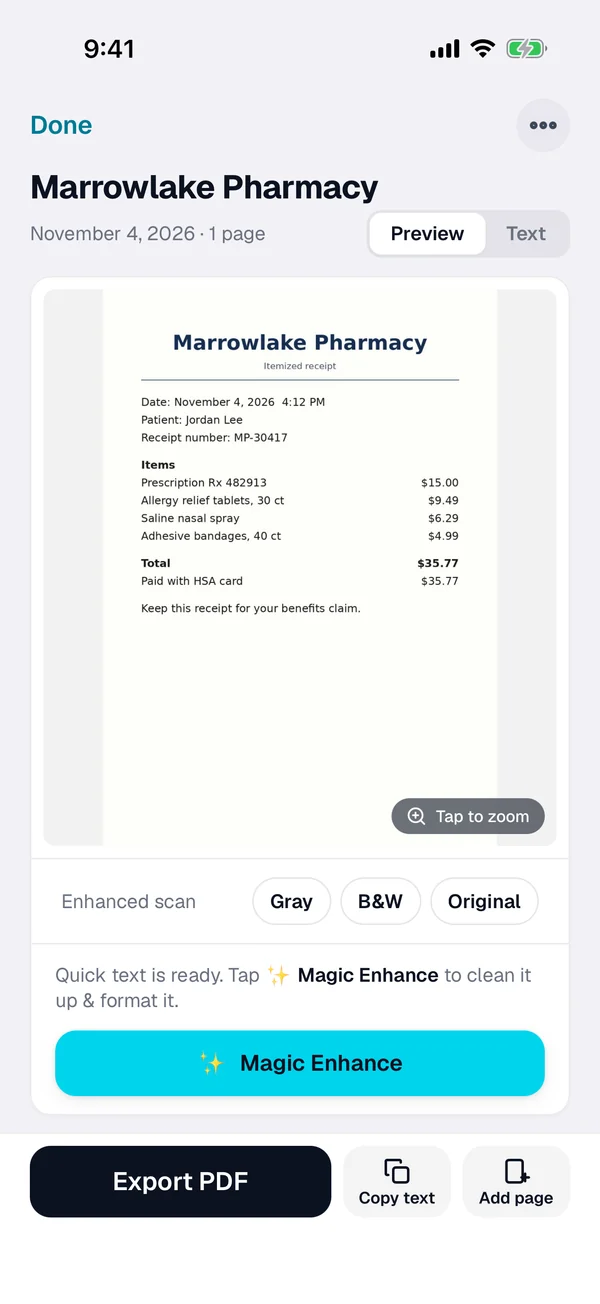
Three steps for every FSA or HSA receipt
-
Scan or import it
Tap + and scan the itemized receipt or statement. For an emailed one, open the PDF from Mail or Files, or import a photo from Photos.
-
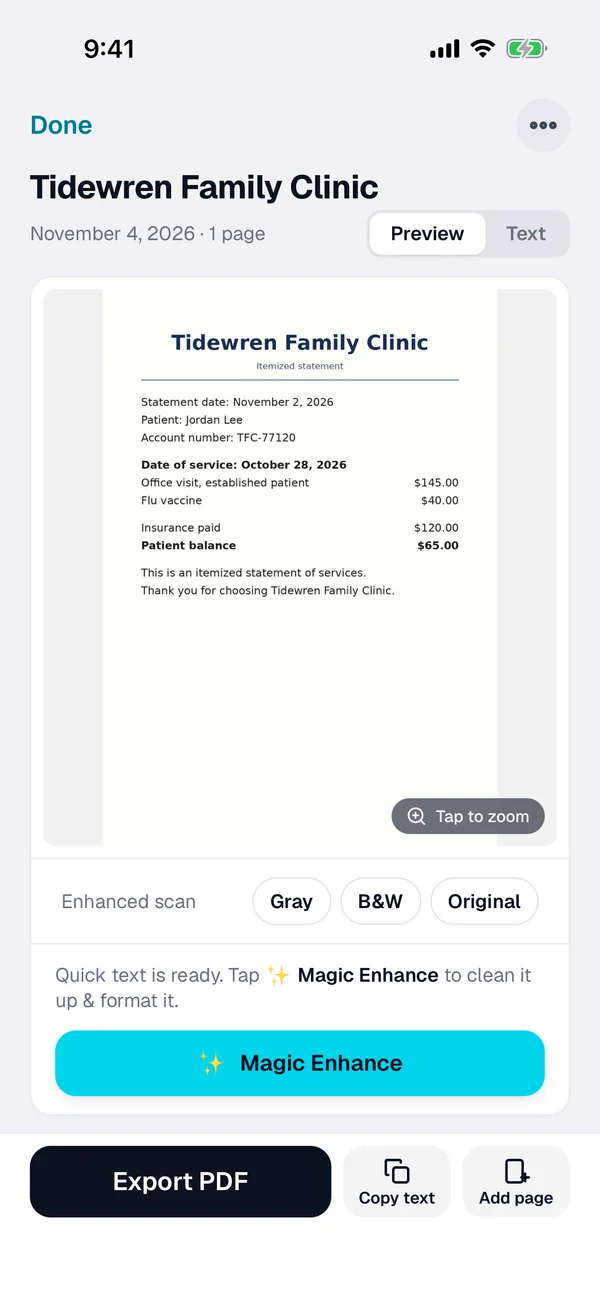
Check the name
Smart naming suggests a name from the text. Rename it with the provider and the date if you like.
-
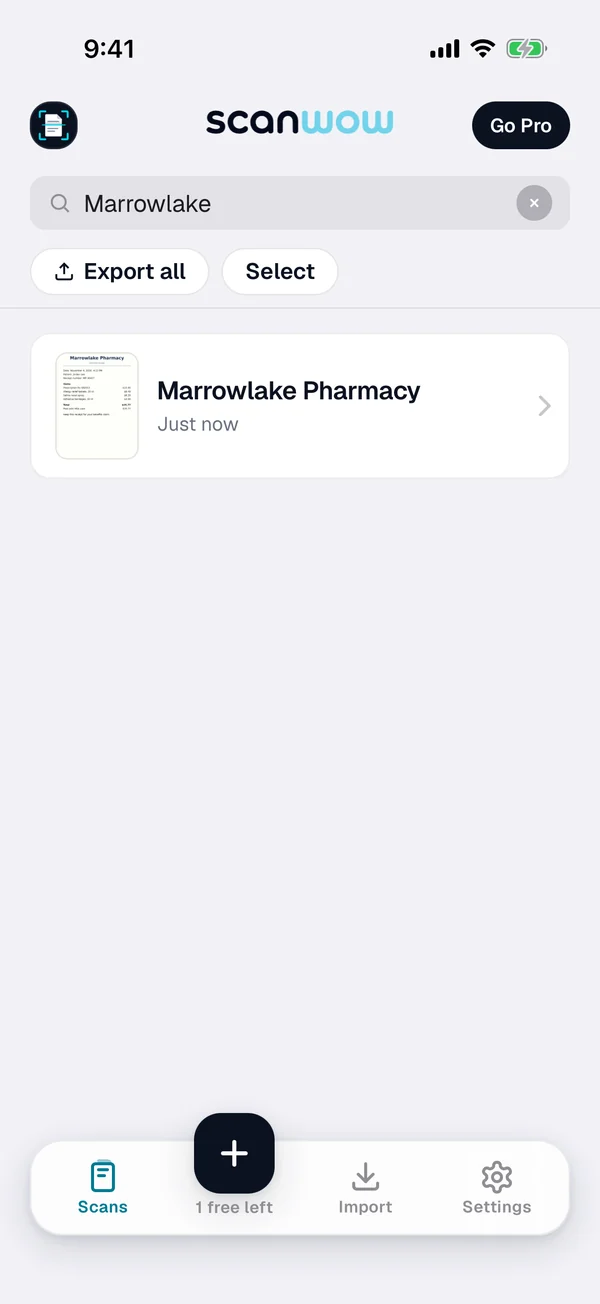
Find it at claim time
Search for the pharmacy, the provider, the amount or any word on it. Select the receipts you need and export them as one searchable PDF.
What IRS Publication 969 says
FSA claims: a third-party statement
IRS Publication 969 says you must give the health FSA a written statement from an independent third party stating that the medical expense has been incurred and the amount of the expense, plus a statement that it hasn't been paid or reimbursed under any other health plan coverage. Check your plan for what it accepts. An itemized receipt shows what you bought, the date and the amount.
Card swipes
Publication 969 says that when an employer's debit card meets certain substantiation methods, you may not have to give the FSA more information. If your plan asks you to back up a card purchase later, a scan of the itemized receipt is ready to send.
Use it or lose it, by plan
Publication 969 says FSAs are generally use-it-or-lose-it plans, but a plan can offer either a grace period of up to two and a half months or a carryover of unused amounts, not both. Deadlines to spend and to file claims vary by plan, so check your plan.
HSA: keep the records yourself
For an HSA, Publication 969 says you must keep records sufficient to show that distributions were exclusively to pay or reimburse qualified medical expenses. It says not to send them with your tax return, but to keep them with your tax records.
This page is not tax advice. Publication 969 (2025) is written for 2025 returns, and rules can change, so check the latest version on irs.gov, check your plan, and ask a tax professional about your own situation.
Private, and in your own iCloud
ScanWow reads the text on your iPhone, and your scans are not stored on our servers. A page is only sent for AI cleanup when you tap Magic Enhance on it. See the private scanner page for details.
With Pro, Automatic iCloud Backup saves your scans to your own iCloud account, not ours. A new device signed in with that Apple Account restores them when you install ScanWow.
Free to try, then a one-time Pro
Download is free, and your first 3 documents are free. A multi-page scan counts as one document, and so does a photo or PDF import. Text recognition, search, and searchable PDF export are included for everyone.
ScanWow Pro is $4.99 once in the US (the App Store shows your local price). Pro adds unlimited scans, Automatic iCloud Backup to your own iCloud, and 1,000 Magic Enhance credits. No monthly fee. See full pricing.
Common questions
What does IRS Publication 969 say about FSA receipts?
IRS Publication 969 (2025) says you must provide the health FSA with a written statement from an independent third party stating that the medical expense has been incurred and the amount of the expense, plus a written statement that the expense hasn't been paid or reimbursed under any other health plan coverage. Your plan decides how you send it and what it accepts, so check your plan.
When is my FSA deadline?
It depends on your plan. Publication 969 says FSAs are generally use-it-or-lose-it plans, but a plan can offer either a grace period of up to two and a half months after the plan year or a carryover of unused amounts. Check your plan or ask your benefits administrator for your dates to spend and to file claims.
Is a scan enough for my claim or my tax records?
ScanWow keeps a readable copy you can search and export as a PDF. It does not decide what your plan or the IRS accepts. Check your plan and ask a tax professional what to keep, and keep the originals they tell you to keep.
How do I find a receipt when I file a claim?
Search for the pharmacy or provider name, the amount, or any word on the receipt. ScanWow reads the text on every scan, and search in the app matches the words and numbers on it, plus the document name. Then select the receipts you need and export them as one PDF.
Where are my medical receipts stored?
On your iPhone. ScanWow reads the text on your device, and your scans are not stored on our servers. With Pro, Automatic iCloud Backup saves them to your own iCloud account, not ours. A page is only sent for AI cleanup when you tap Magic Enhance on it.
Is it free?
ScanWow is free to download, and your first 3 documents are free. Text recognition, search and searchable PDF export are included for everyone. ScanWow Pro is an optional one-time $4.99 in the US for unlimited scans, Automatic iCloud Backup and 1,000 Magic Enhance credits. There is no subscription.
Scan this year's FSA and HSA receipts before your plan deadline
Free to download. 3 documents free. Pro is $4.99 once. No subscription.
Download on the App Store