Contractor paperwork
Scan contractor W-9s and invoices and find them at 1099 time.
Scan each W-9, contractor invoice and payment record when you get it, or import the emailed PDF, and find it in January by the contractor or business name. Free to try, and $4.99 once for Pro in the US.
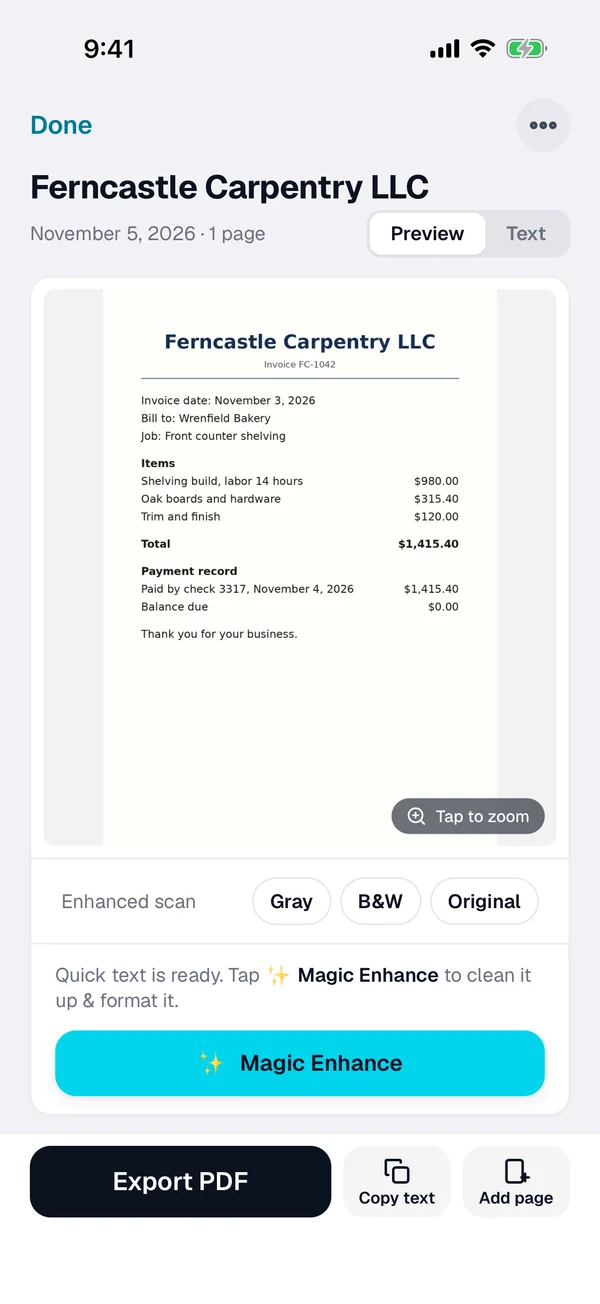
Three steps for every contractor
-
Scan or import it
Tap + and scan the W-9, the invoice or the payment record. For an emailed one, open the PDF from Mail or Files, or import a photo from Photos.
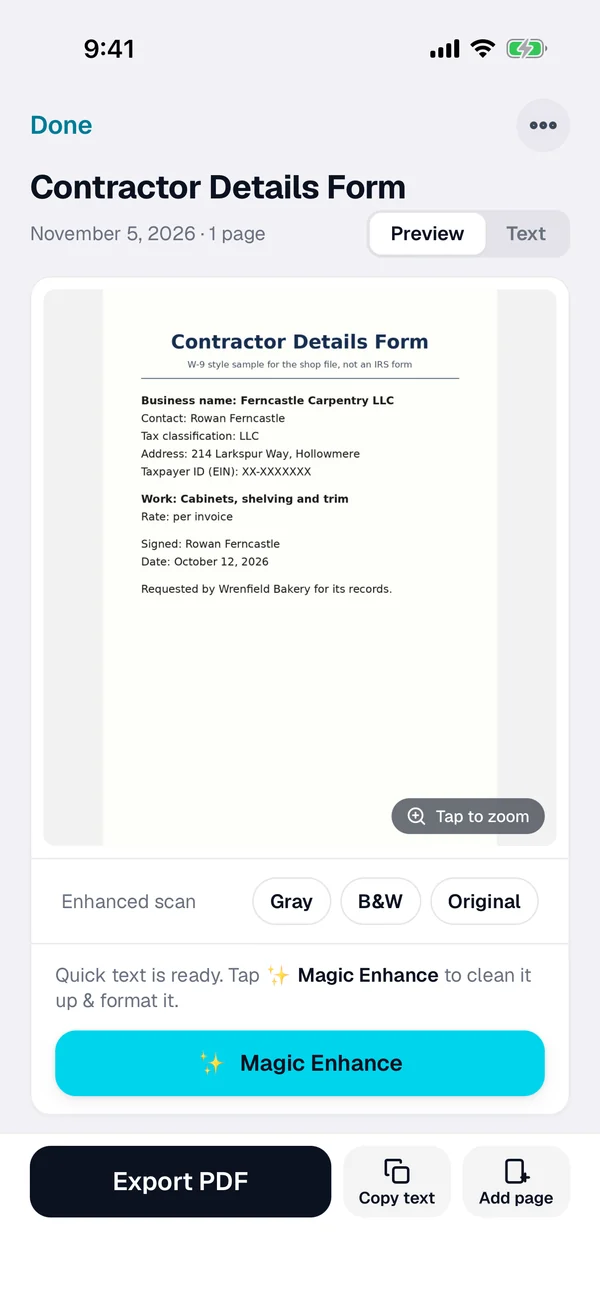
-
Check the text
ScanWow reads every word on the page on your iPhone. Check the business name, copy the text if you need it, and rename the scan with the contractor and the year if you like.
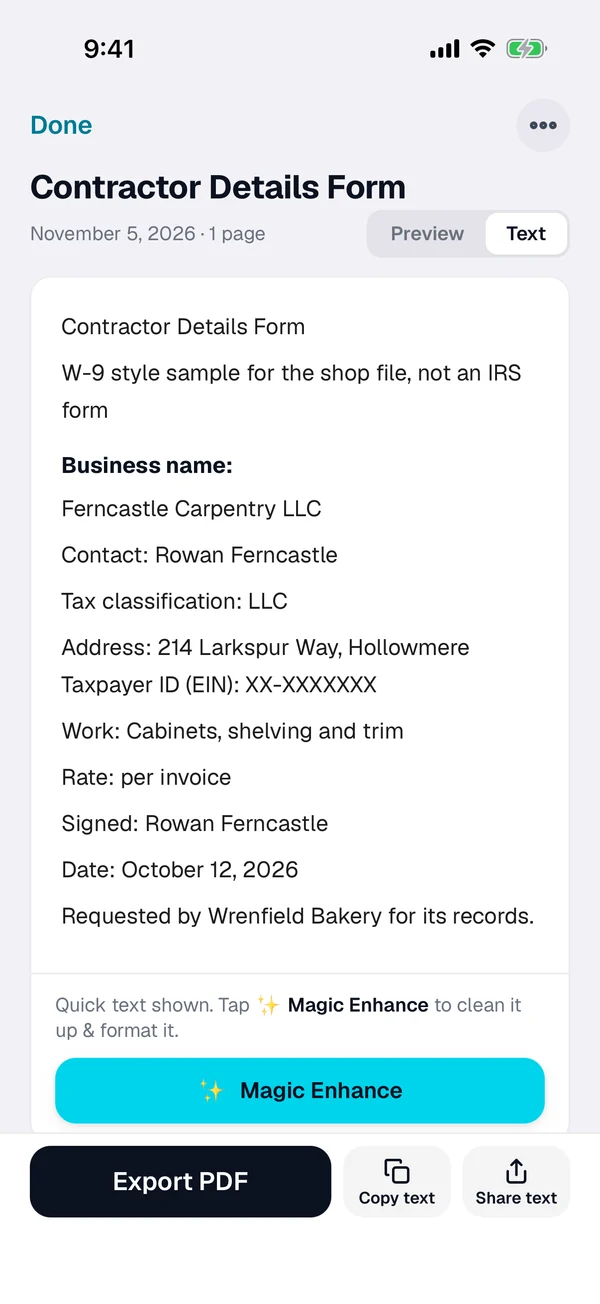
-
Find it at 1099 time
Search for the contractor or business name, the invoice number or an amount. Select the documents you need and export them as one searchable PDF for you or your tax pro.
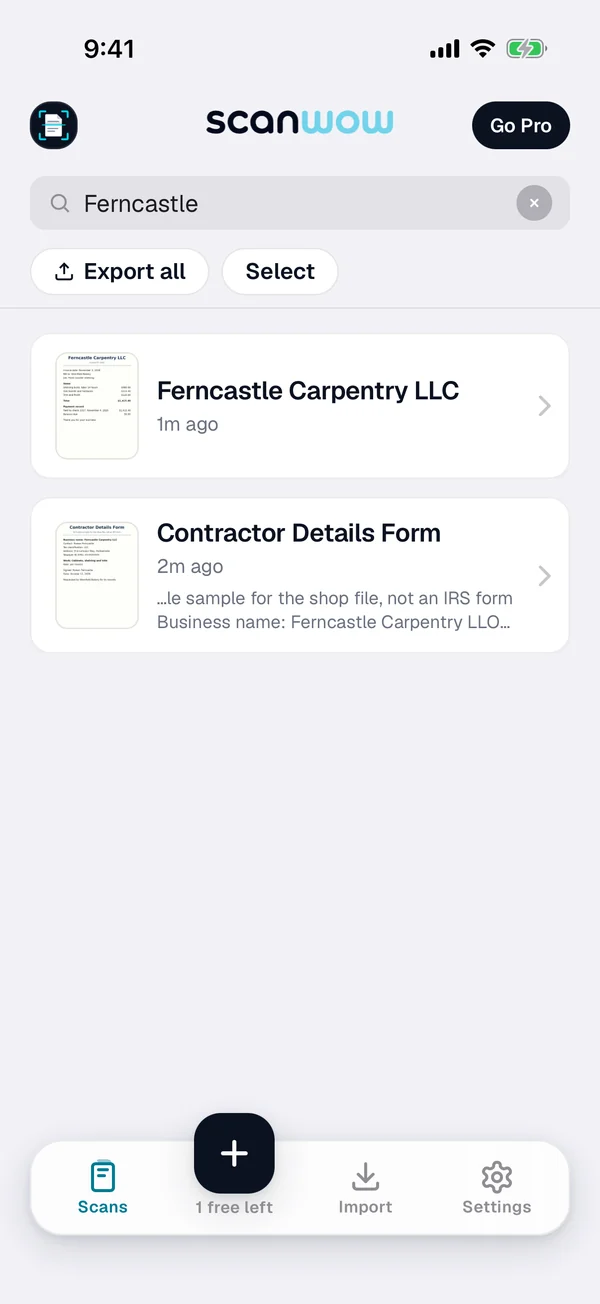
What the IRS says
Form W-9: the contractor's TIN
IRS says to use Form W-9 to provide your correct Taxpayer Identification Number (TIN) to the person who is required to file an information return with the IRS. Scan each signed W-9 along with that contractor's invoices, and one search finds them together.
The name on the W-9
The IRS Instructions for the Requester of Form W-9 say to show the full name and address as provided on Form W-9 on the information return. A searchable scan lets you look up the exact business name when you need it.
Form 1099-NEC: January 31
The IRS Instructions for Forms 1099-MISC and 1099-NEC say you are required to furnish the payee statements and file Form 1099-NEC with the IRS by January 31. They say a due date that falls on a Saturday, Sunday or legal holiday moves to the next business day.
A new $2,000 threshold
In the same instructions, the IRS says the minimum for reporting certain payments rose to $2,000 for tax years beginning after 2025. Who you need to file for depends on your payments, so check with your tax pro.
This page is not tax advice. IRS forms and instructions can change, so check the latest versions on irs.gov and check with your tax pro about your own situation.
What ScanWow does and does not do
ScanWow keeps a clean, searchable copy of every W-9, invoice and payment record, and gives you PDFs to hand to your bookkeeper or tax pro. From version 3.0.5, exported PDFs carry the recognized text, so Files can search inside them too.
It is not accounting or tax software. It does not fill out or file 1099s, pull totals into fields, or add up what you paid each contractor.
Private, and in your own iCloud
A W-9 carries a tax ID, so where it goes matters. ScanWow reads the text on your iPhone, and your scans are not stored on our servers. A page is only sent for AI cleanup when you tap Magic Enhance on it. See the private scanner page for details.
With Pro, Automatic iCloud Backup saves your scans to your own iCloud account, not ours. A new device signed in with that Apple Account restores them when you install ScanWow.
Free to try, then a one-time Pro
Download is free, and your first 3 documents are free. A multi-page scan counts as one document, and so does a photo or PDF import. Text recognition, search, and searchable PDF export are included for everyone.
ScanWow Pro is $4.99 once in the US (the App Store shows your local price). Pro adds unlimited scans, Automatic iCloud Backup to your own iCloud, and 1,000 Magic Enhance credits. No monthly fee. See full pricing.
Common questions
What does the IRS say Form W-9 is for?
IRS says to use Form W-9 to provide your correct Taxpayer Identification Number (TIN) to the person who is required to file an information return with the IRS. The IRS Instructions for the Requester of Form W-9 say it is used by persons required to file information returns to get the payee's correct name and TIN. Check with your tax pro about your own situation.
When are Forms 1099-NEC due?
The IRS Instructions for Forms 1099-MISC and 1099-NEC say you are required to furnish the payee statements and file Form 1099-NEC with the IRS by January 31. They also say that if a due date falls on a Saturday, Sunday or legal holiday, the due date is the next business day. Check with your tax pro for your own dates.
How do I find a contractor's W-9 and invoices in January?
Search for the contractor or business name, the invoice number, an amount, or any word on the page. ScanWow reads the text on every scan, and search in the app matches those words plus the document name. Then select the documents you need and export them as one PDF.
Is a scan enough for my tax records?
ScanWow keeps a readable copy you can search and export as a PDF. It does not decide what the IRS accepts, and it does not fill out or file any tax form. Check with your tax pro about what to keep, and keep the originals they tell you to keep.
Where are scanned W-9s stored?
On your iPhone. ScanWow reads the text on your device, and your scans are not stored on our servers. With Pro, Automatic iCloud Backup saves them to your own iCloud account, not ours. A page is only sent for AI cleanup when you tap Magic Enhance on it.
Is it free?
ScanWow is free to download, and your first 3 documents are free. Text recognition, search and searchable PDF export are included for everyone. ScanWow Pro is an optional one-time $4.99 in the US for unlimited scans, Automatic iCloud Backup and 1,000 Magic Enhance credits. There is no subscription.
Scan this year's contractor paperwork before January
Free to download. 3 documents free. Pro is $4.99 once. No subscription.
Download on the App Store