Year-end tax papers
Scan W-2s and 1099s before tax season.
As forms arrive in January and February, scan each W-2, 1099 and supporting paper into a searchable PDF, or import the emailed copy, and find it later by the employer, the payer or your name. Free to try, and $4.99 once for Pro in the US.
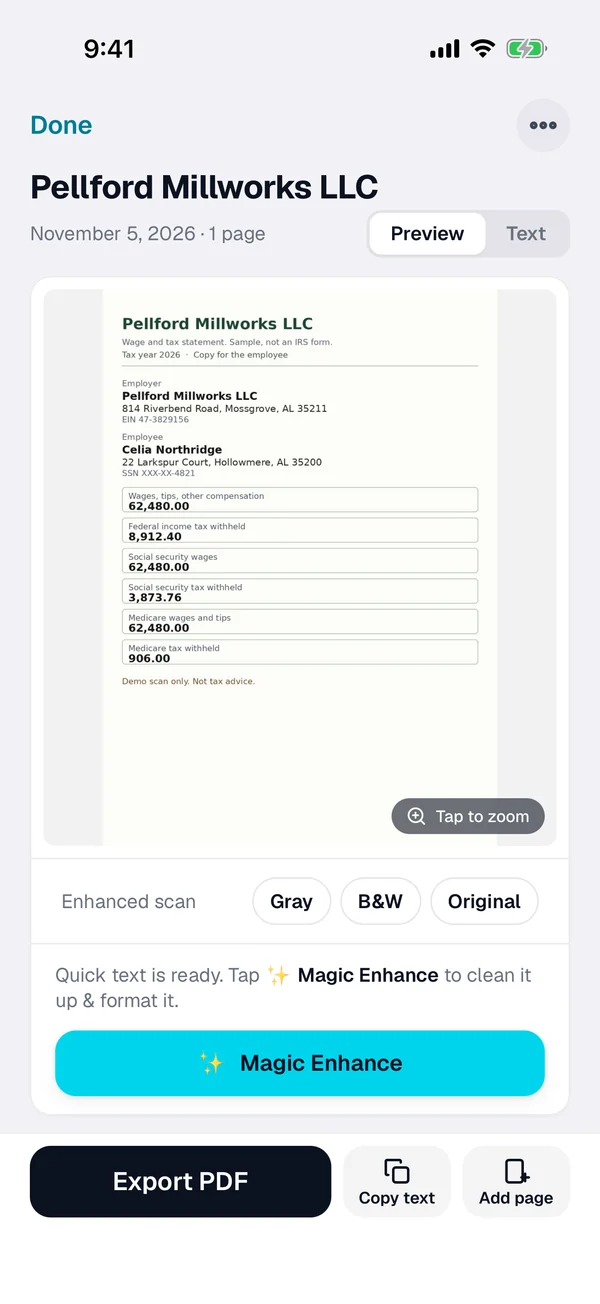
Three steps for year-end tax papers
-
Scan or import it
Tap + and scan the W-2, the 1099 or the supporting letter. For an emailed one, open the PDF from Mail or Files, or import a photo from Photos.
-
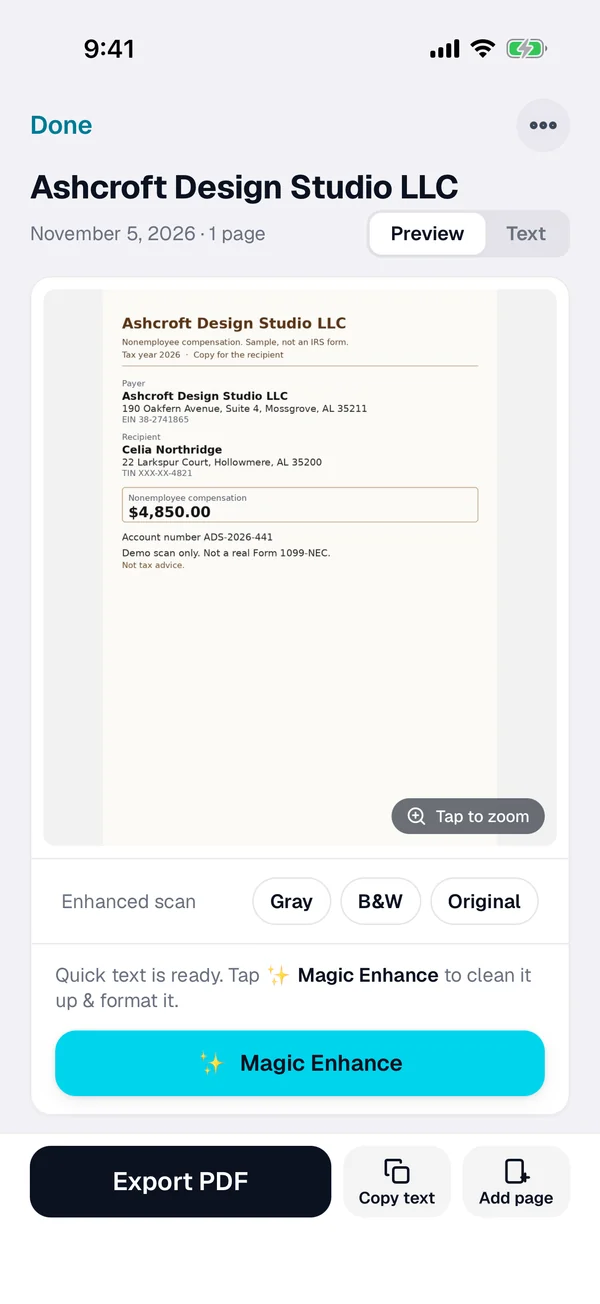
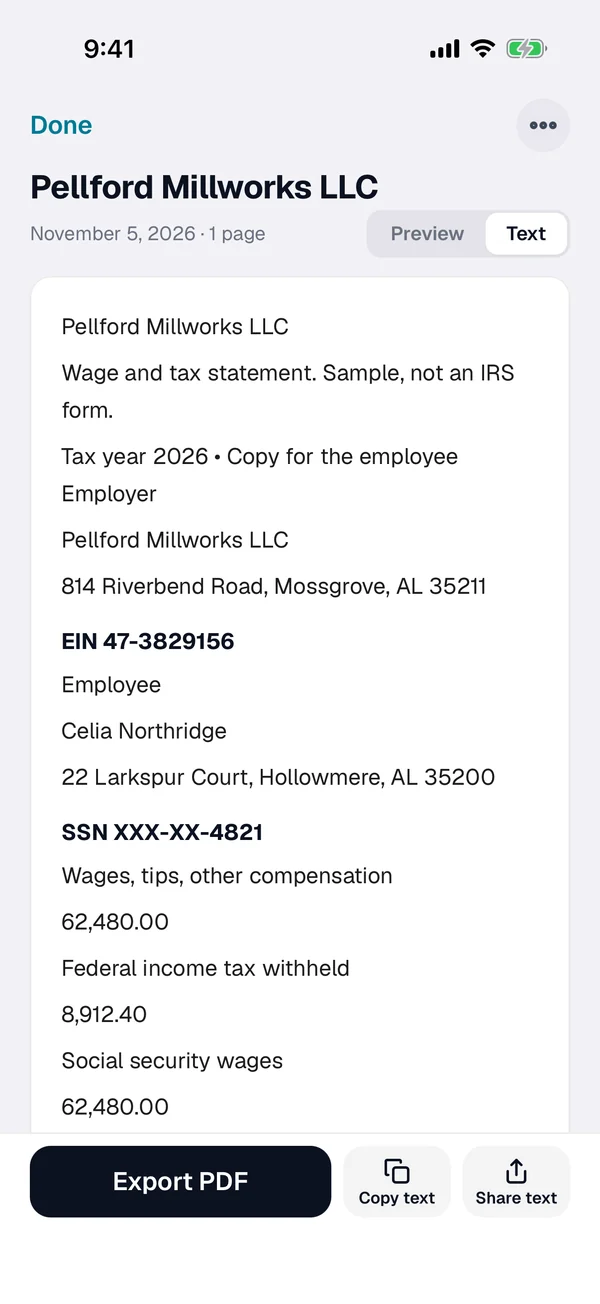
Check the text
ScanWow reads every word on the page on your iPhone. Check the employer or payer name, copy the text if you need it, and rename the scan with the year if you like.
-
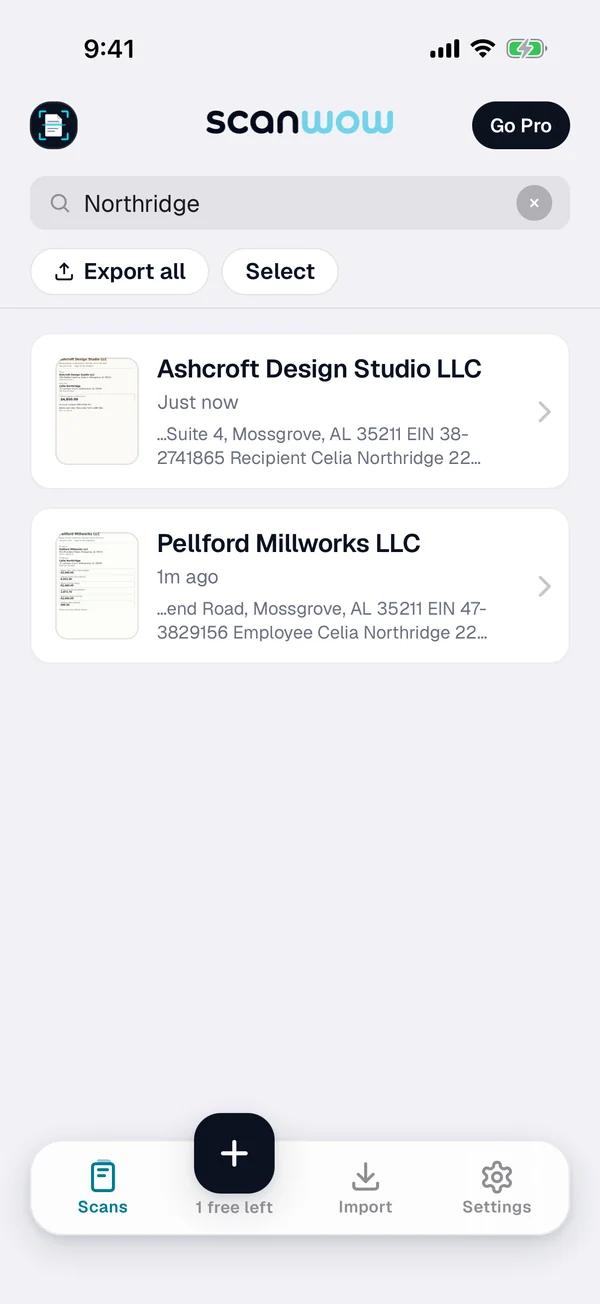
Find it at filing time
Search for the employer name, the payer name, your name or an amount. Select the documents you need and export them as one searchable PDF for you or your tax pro.
What the IRS says about these forms
Form W-2
The IRS About Form W-2 page says employers file Form W-2 for each employee they pay wages to, when the listed conditions apply. Scan the copy you receive so you can find it later.
W-2 copies to employees
The IRS General Instructions for Forms W-2 and W-3 say employers generally must furnish Copies B, C, and 2 of Form W-2 to employees by February 1, 2027. Dates can move with weekends and holidays, so check the instructions for your year.
Form 1099-NEC
The IRS guide to information returns lists Form 1099-NEC for nonemployee compensation, with a $600 threshold for payments made before 2026 and a $2,000 threshold for payments made in 2026, and January 31 dates for the recipient and the IRS. Check the guide for your year.
Electronic records
IRS Publication 583 says electronic storage systems that keep tax books and records must index, store, preserve, retrieve and reproduce them in a legible format, and it points to Revenue Procedure 97-22 for the details. A clear scan is a start, not a filing decision.
This page is not tax advice. IRS rules and form instructions can change, so check the latest information on IRS.gov and talk with a tax pro about your own situation.
What ScanWow does and does not do
ScanWow keeps a clean, searchable copy of every W-2, 1099 and supporting paper, and gives you PDFs to hand to a tax pro or upload into tax software. From version 3.0.5, exported PDFs carry the recognized text, so Files can search inside them too.
It is not tax software, and it does not prepare, e-file or amend a return. It does not decide which forms you need, which deductions apply or what the IRS accepts.
Private, and in your own iCloud
A W-2 or 1099 carries income figures and identifying numbers, so where it goes matters. ScanWow reads the text on your iPhone, and your scans are not stored on our servers. A page is only sent for AI cleanup when you tap Magic Enhance on it. See the private scanner page for details.
With Pro, Automatic iCloud Backup saves your scans to your own iCloud account, not ours. A new device signed in with that Apple Account restores them when you install ScanWow.
Free to try, then a one-time Pro
Download is free, and your first 3 documents are free. A multi-page scan counts as one document, and so does a photo or PDF import. Text recognition, search, and searchable PDF export are included for everyone.
ScanWow Pro is $4.99 once in the US (the App Store shows your local price). Pro adds unlimited scans, Automatic iCloud Backup to your own iCloud, and 1,000 Magic Enhance credits. No monthly fee. See full pricing.
Common questions
When do W-2s and 1099s usually arrive?
The IRS General Instructions for Forms W-2 and W-3 say employers generally must furnish Copies B, C, and 2 of Form W-2 to employees by February 1, 2027. The IRS guide to information returns lists January 31 as the recipient date for Form 1099-NEC. Brokerage 1099 packets can arrive later. Check the IRS pages and your own forms for your situation. This page is not tax advice.
What is Form W-2 for?
The IRS About Form W-2 page says employers file Form W-2 for each employee they pay wages to, when the listed conditions apply. ScanWow does not prepare or file a W-2. It keeps a searchable copy of the paper or PDF you already have.
What is Form 1099-NEC for?
The IRS About Form 1099-NEC page covers nonemployee compensation. The IRS guide to information returns lists a $600 threshold for payments made before 2026 and a $2,000 threshold for payments made in 2026, with January 31 dates for the recipient and the IRS filing. Thresholds and dates can change, so check the IRS guide for your year. ScanWow does not prepare or file a 1099.
How do I find a W-2 or 1099 later?
Search for the employer name, the payer name, your name, an amount or any word on the page. ScanWow reads the text on every scan, and search in the app matches those words plus the document name. Then select the documents you need and export them as one PDF.
Is a scan enough for tax records?
IRS Publication 583 says electronic storage systems that keep tax books and records must index, store, preserve, retrieve and reproduce them in a legible format, and it points to Revenue Procedure 97-22 for the details. ScanWow keeps a readable, searchable copy you can export as a PDF. It does not decide what the IRS accepts. Keep the originals you are told to keep, and check with a tax pro about your own situation.
Is it free?
ScanWow is free to download, and your first 3 documents are free. Text recognition, search and searchable PDF export are included for everyone. ScanWow Pro is an optional one-time $4.99 in the US for unlimited scans, Automatic iCloud Backup and 1,000 Magic Enhance credits. There is no subscription.
Scan tax papers as they arrive
Free to download. 3 documents free. Pro is $4.99 once. No subscription.
Download on the App Store