Moving out soon?
Scan your lease, checklists and room photos before you hand over the keys.
Scan your signed lease, the move-in and move-out checklists, and photos of every room into searchable PDFs. Find them later by unit, street or landlord. Free to try, $4.99 once for Pro in the US.
Three steps for lease paperwork
-
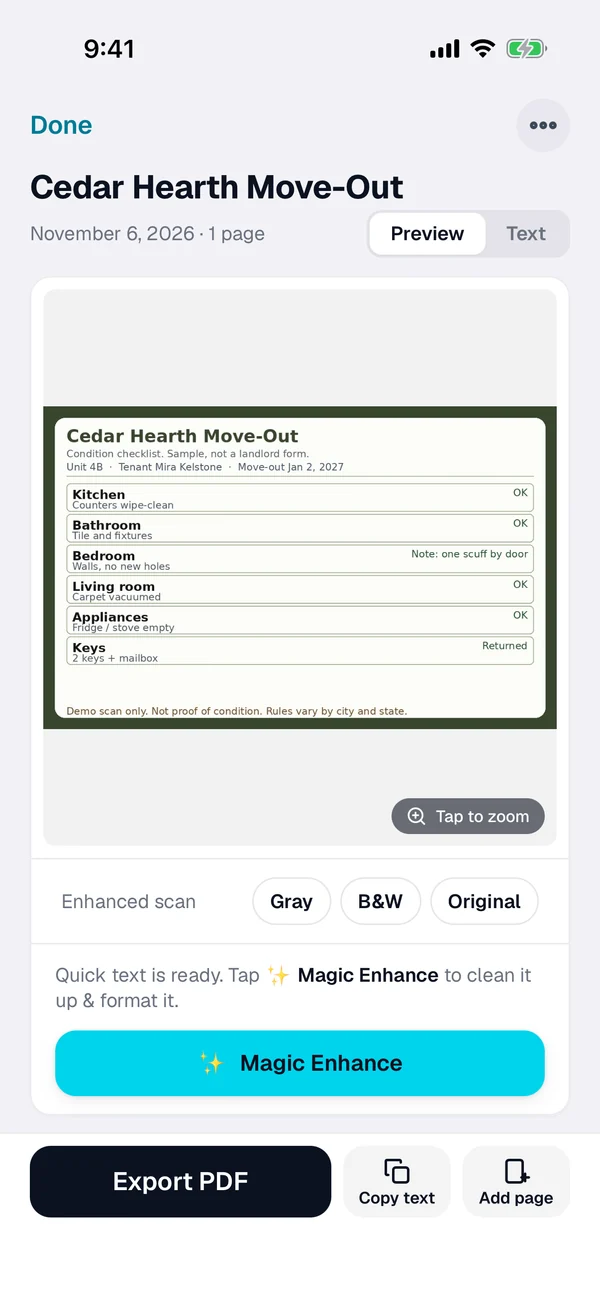
Scan or import it
Tap + and scan the signed lease, the condition checklist or a room photo. For an emailed lease PDF or a landlord form, open it from Mail or Files, or import a photo from Photos.
-
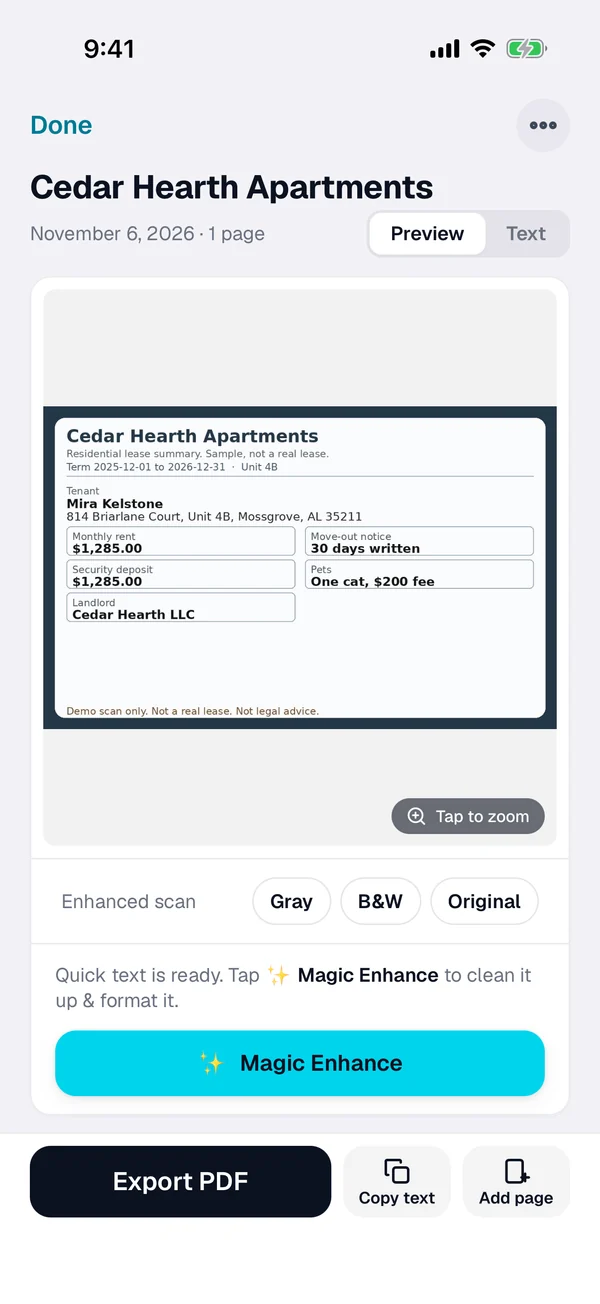
Check the text
ScanWow reads every word on the page on your iPhone. Check the unit, the dates and the landlord name, copy the text if you need it, and rename the scan with the address and the move-out date if you like.
-
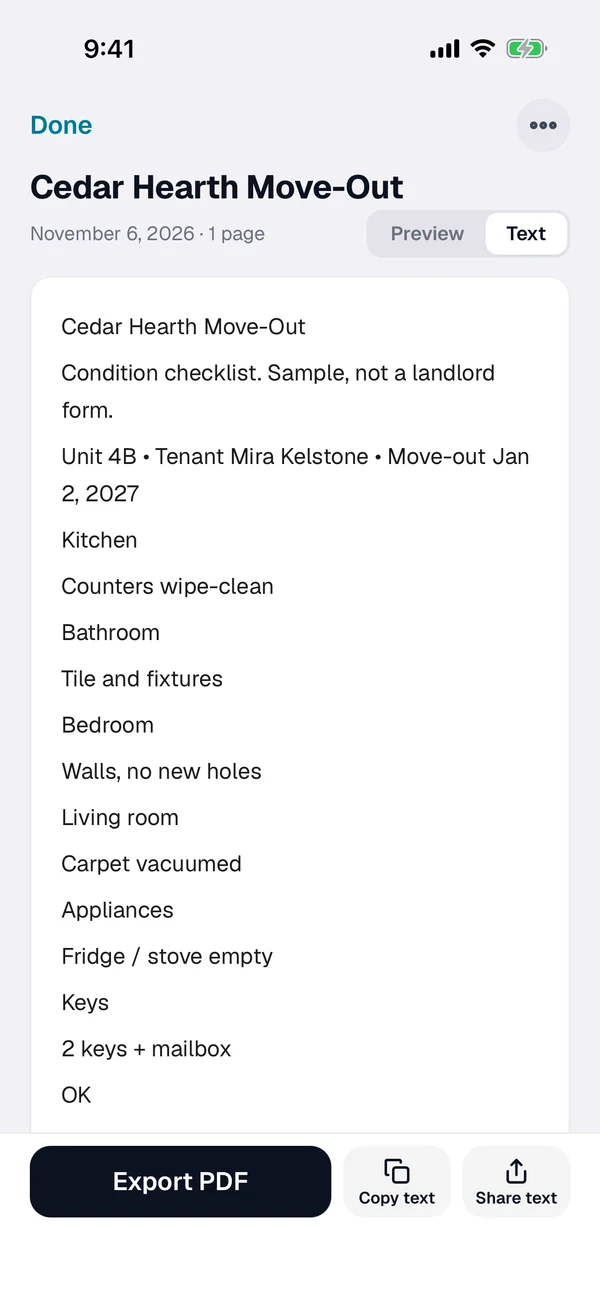
Find it at handover
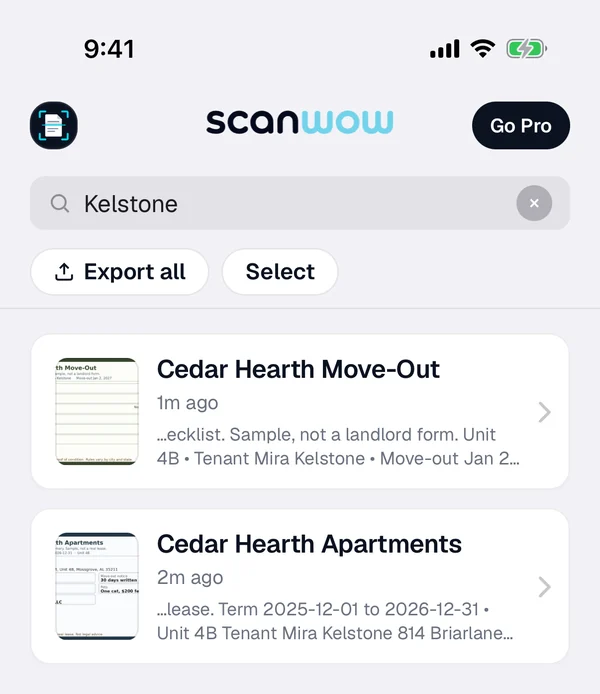
Search for the unit number, the street, the landlord or any word on the page. Select the documents you need and export them as one searchable PDF. Your scans are on your iPhone, so search works without a connection.
What to scan before you leave
Signed lease
The full lease sets the deposit rules, the notice window and what "normal wear" means in your building. A searchable scan lets you find those lines later without digging through a folder.
Condition checklist
Scan the move-in checklist when you get the keys, and the move-out checklist before you leave. Matching the two side by side is easier when both are searchable on your phone.
Room photos
Add a photo of each room, appliance and any existing mark on move-in day, then again on move-out day. Mix photos from the camera or from Photos with scanned checklist pages in the same document. Name each scan with the room and the date, like "Kitchen move-out Jan 2", so it is easy to find and clear when it was taken.
Notices and emails
Scan written notice pages, and import emailed move-out instructions from Mail or Files. Search later by the landlord name or a date when questions come up about timing.
This page is not legal advice. Lease, deposit and condition rules vary by city and state and can change. Check your lease, your landlord and the official local housing sites for what you need to show.
What ScanWow does and does not do
ScanWow keeps a clean, searchable copy of every lease page, checklist and room photo, and gives you PDFs you can open offline or hand over at move-out. From version 3.0.5, exported PDFs carry the recognized text, so Files can search inside them too.
It is not a landlord app, a deposit service or a lawyer. It does not decide what counts as proof in a dispute, and it does not replace originals you are told to keep.
Private, and in your own iCloud
A lease carries your name, address and signature, so where it goes matters. ScanWow reads the text on your iPhone, and your scans are not stored on our servers. A page is only sent for AI cleanup when you tap Magic Enhance on it. See the private scanner page for details.
With Pro, Automatic iCloud Backup saves your scans to your own iCloud account, not ours. A new device signed in with that Apple Account restores them when you install ScanWow.
Free to try, then a one-time Pro
Download is free, and your first 3 documents are free. A multi-page scan counts as one document, and so does a photo or PDF import. Text recognition, search, and searchable PDF export are included for everyone.
ScanWow Pro is $4.99 once in the US (the App Store shows your local price). Pro adds unlimited scans, Automatic iCloud Backup to your own iCloud, and 1,000 Magic Enhance credits. No monthly fee. See full pricing.
Common questions
What should I scan before move-out day?
The signed lease, the move-in condition checklist if you have one, and photos or scans of every room, appliance and any existing wear. Name each scan with the room and the date. ScanWow keeps searchable copies you can find by unit, date or landlord name. It does not replace originals your landlord or local rules still require.
Do scanned condition photos help with a deposit dispute?
A clear scan is a personal record of what the place looked like. What counts as proof depends on your lease and local rules. ScanWow stores a searchable copy on your iPhone; it is not legal advice and it does not settle a dispute for you. Keep the originals and any emails too.
How do I find a lease or checklist later?
Search for the unit number, the street, the landlord name, a date or any word on the page. ScanWow reads the text on every scan, and search in the app matches those words plus the document name. Then open the scan or export it as a searchable PDF.
Where are my lease scans stored?
On your iPhone. ScanWow reads the text on your device, and your scans are not stored on our servers. With Pro, Automatic iCloud Backup saves them to your own iCloud account, not ours. A page is only sent for AI cleanup when you tap Magic Enhance on it.
Can I mix photos of rooms with a scanned checklist?
Yes. Scan the checklist or lease pages, then add room photos from the camera or from Photos into the same document. Name the document with the room and the date, like "Kitchen move-out Jan 2". Export the set as one searchable PDF when you need to hand it to someone.
Is it free?
ScanWow is free to download, and your first 3 documents are free. Text recognition, search and searchable PDF export are included for everyone. ScanWow Pro is an optional one-time $4.99 in the US for unlimited scans, Automatic iCloud Backup and 1,000 Magic Enhance credits. There is no subscription.
Scan lease papers before you hand over the keys
Free to download. 3 documents free. Pro is $4.99 once. No subscription.
Download on the App Store